Bachmann VxWorks Tutorial

This section serves as a comprehensive guide to assist in creating and understanding the key points of a basic Safe DDS application using VxWorks.
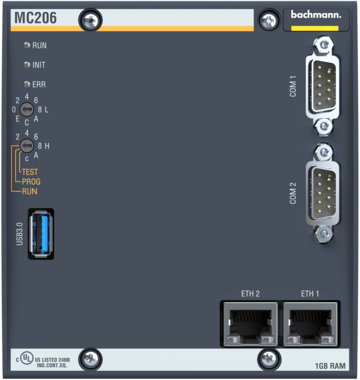
This project has been tested on the Bachmann MC206 processor module with Bachmann Solution Center v2.73. Check Supported platforms for more information.
Note
This guide might require adaptations to work with a different hardware or Bachmann Solution Center version.
In order to get support please contact support@eProsima.com.
Note
It is recommended to first read the Getting Started section to gain a better understanding of the basic concepts and terminology used in this section.
Project Configuration
This section describes how to configure a Bachmann Solution Center project that uses the Safe DDS library compatible with VxWorks.
1. Create a New C++ Project
To create a new C++ project in Bachmann Solution Center, follow these steps:
Start by opening or creating a new C++ project in under File > New > Project > C/C++ > C++ Project.
Then select Bachmann module > Cpp template and Bachmann 5.5 C++ Toolchain.
2. Add a New Source Folder for Safe DDS
To add the Safe DDS library to the project follow these steps:
In the Project Explorer, right-click on the project and select New > Source Folder. Name the folder something like Safe-DDS.
Navigate to the Bachmann Solution Center support package folder and run the create_package.sh script followed by the path to the Safe DDS source release folder. This script generates the Safe DDS required files on a VxWorks environment.
Copy the Safe DDS src and include generated folders to the folder previously created in the project.
Move to the project properties and navigate to C/C++ Build > Settings > Bachmann C++ Compiler > Paths.
Add the path to the Safe DDS include folder.
3. Configure Compiler Flags
To ensure compatibility with the Bachmann C++ compiler, adjust the following compiler flags:
Remove -Wall flag from the Bachmann C++ Compiler > Warnings section.
Add -fpermissive flag to the Bachmann C++ Compiler > Miscellaneous > Other flags section.
Safe DDS application
After the project has been set up, the next step is to create a Safe DDS application:
1. Add the application files to the project
Navigate to the tutorial_vxworks_bachmann example folder.
Add the provided SafeDDSApp.cpp, SafeDDSApp.hpp, and HelloWorldTypeSupport.hpp files to the project.
2. Configure the Safe DDS Task
Once all necessary files are in place, modify the Safe DDS task:
Add to the application task object a SafeDDSApp object pointer.
Then allocate the SafeDDSApp object in the task initialization function, and spin it on the task loop cycleWork function.
An example of the modifications is shown below:
tutorial_app::tutorial_app(BETaskConfiguration conf) :
        BETask(conf)
{
    transport::Locator announced_locator = transport::Locator::from_ipv4({192, 168, 3, 240}, 8888);
    safedds_app_ = new SafeDDSApp(announced_locator);
}

void tutorial_app::cycleWork(void)
{
    if (safedds_app_ != nullptr)
    {
        safedds_app_->spin();
    }
}
Running the application
Build the application in Release mode and flash it to the device. Remember to configure the cycle time to ensure proper operation of the Safe DDS application. Run the Getting Started example in a local machine on the same network as the device. The console output should show messages similar to the following:
[DW: 0] Message: HelloWorld with index: 4
[DW: 16777217] Message: Hello World from MC206! with index: 1
[DW: 16777217] Message: Hello World from MC206! with index: 2
[DW: 0] Message: HelloWorld with index: 5
[DW: 16777217] Message: Hello World from MC206! with index: 3
[DW: 16777217] Message: Hello World from MC206! with index: 4
[DW: 0] Message: HelloWorld with index: 6
[DW: 16777217] Message: Hello World from MC206! with index: 5
[DW: 16777217] Message: Hello World from MC206! with index: 6
[DW: 0] Message: HelloWorld with index: 7
[DW: 16777217] Message: Hello World from MC206! with index: 7
[DW: 16777217] Message: Hello World from MC206! with index: 8